
The Google Maps widget is a nice way to navigate viewers to a location of choice.
Make Sure You Are In “Edit Page”
First step is to click on “Edit Page” at the top of the admin bar.

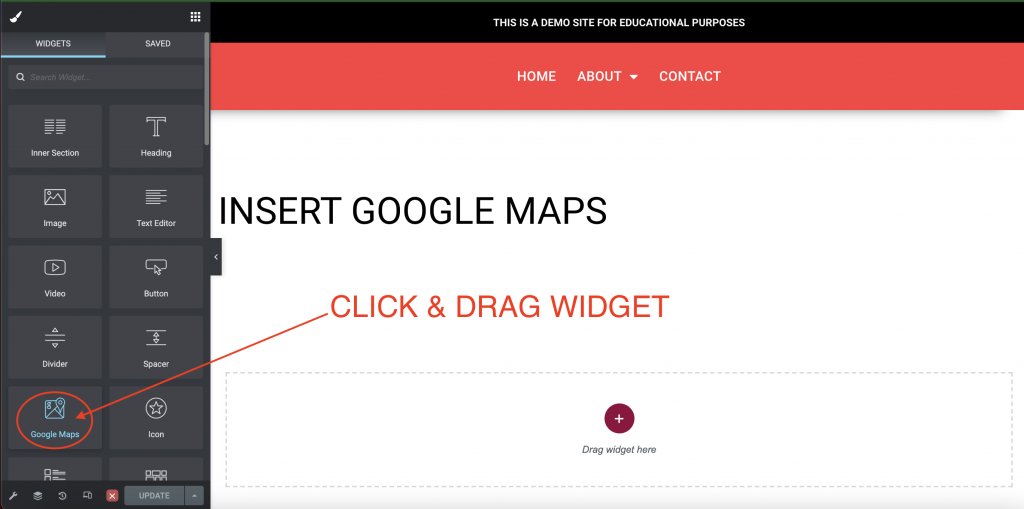
Click & Drag “Google Maps” Widget
Once you are in the page editor, search for the “Google Maps” widget and drag it where you want it to show up.
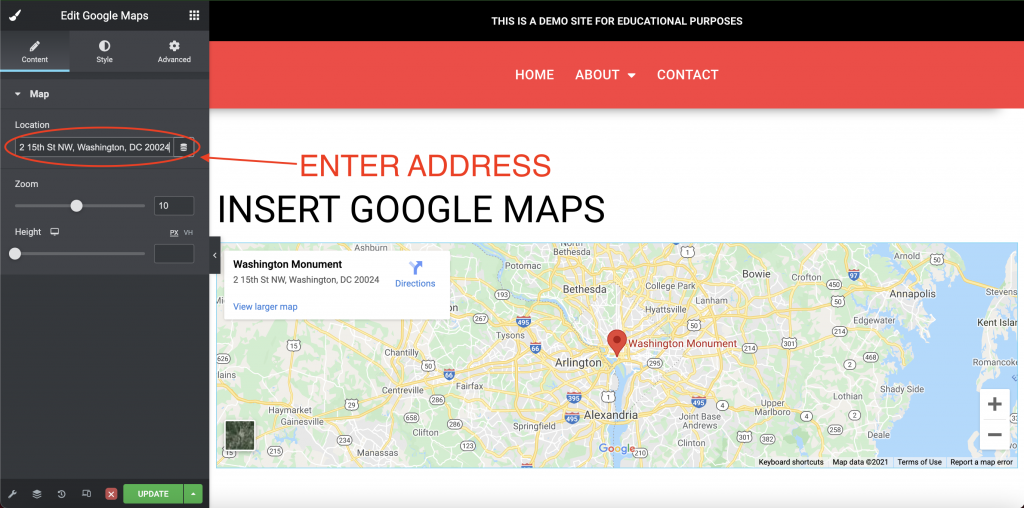
Enter Address
The “Edit Google Maps” screen will come up. From here you can insert the address you wish to show.
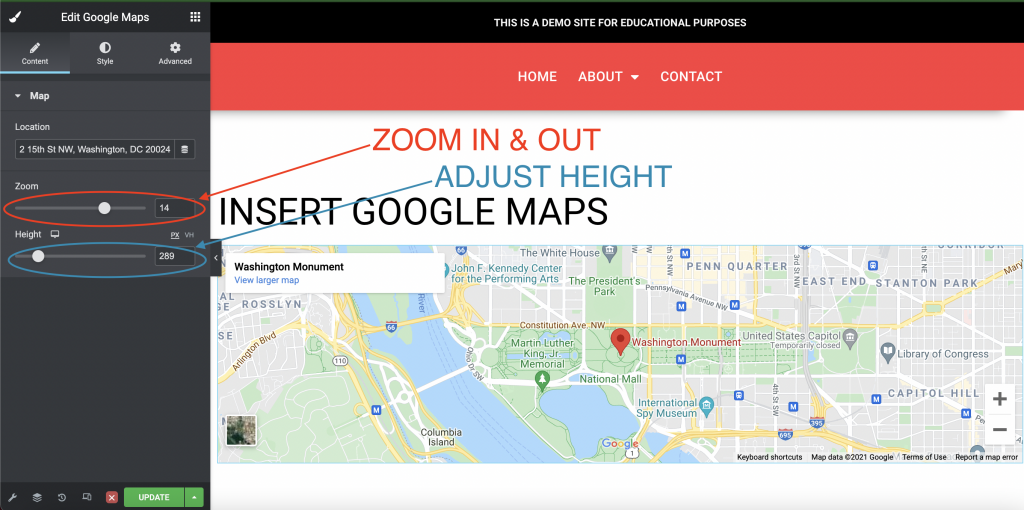
Adjust Settings
You can also adjust the zoom and height of the map.
Save & Exit
Once you are happy with how it looks you can “Update” and exit the editor.