When you are in the page editor it can be helpful to preview a page before publishing it. In this tutorial we will go over how to preview a page in editor mode. We will also go over how to publish a page.
Hide Panel
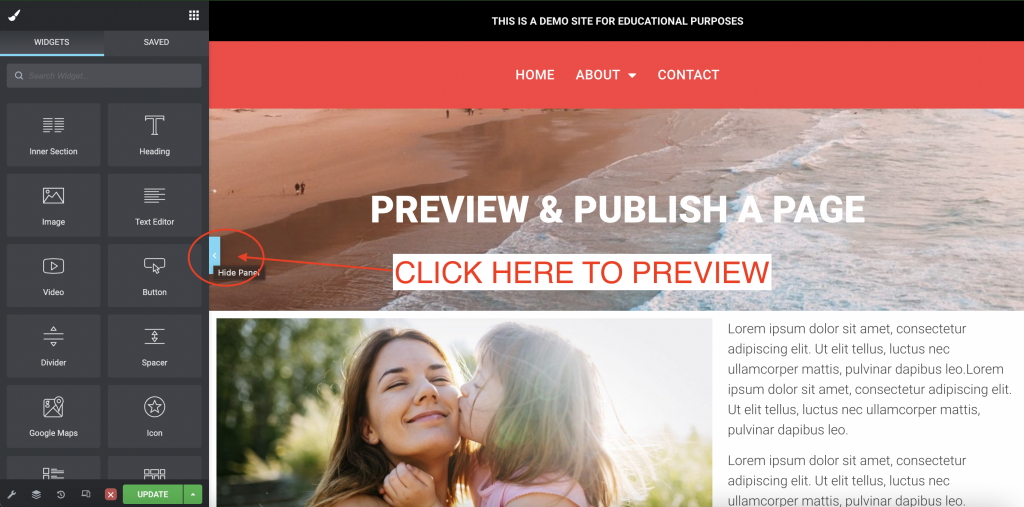
To preview a page from editor mode, click the “Hide Panel” arrow on the right side of the widget/settings sidebar.
Return to Editor
After you preview the page, you can click on the “Return to Editor” arrow on the left of your screen.

Publish
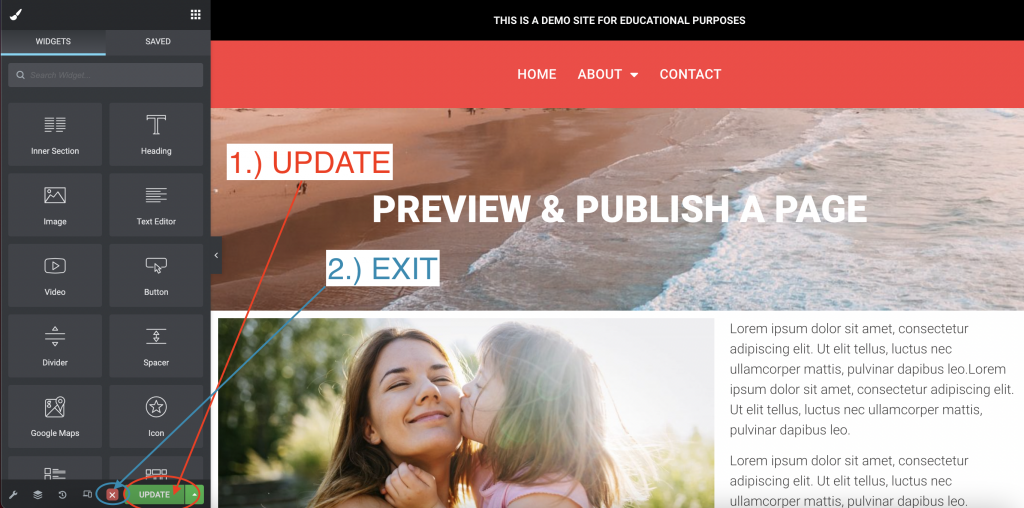
Publishing a page is easy. Simply click the green “UPDATE” button. Once it is done updating click the “X” to exit the editor.